

Long story short
I designed a mobile app that turns raw video into ready-to-publish clips with automatic captions. The whole point was to make subtitling feel effortless for creators - so I streamlined the workflow, layered in AI speech-to-text, and built a simple editor for styling and timing. The payoff: captions that used to take ages by hand now come together in minutes.
Problem
Captioning is one of the most repetitive parts of publishing, and the existing tools are desktop-first and fiddly - creators needed to upload, caption, fix, style, and publish entirely from an iPhone, with AI that’s instant but still under their control.
Solution
I designed an iOS-first app built around one-hand, gesture-based use - captions edited live on the video, fully editable AI speech-to-text, a minimal interface for heavy text editing, and onboarding tuned for instant value.
Result
Designed and shipped to the App Store in just 3 weeks, landing a 4.6★ rating with stable in-app purchases and clear early-user validation - captions in minutes instead of manual work.
Context
Capsula AI is a mobile-first AI app that lets content creators generate and style video captions right on their iPhone.
It started from nothing but an idea - and was designed and shipped to the App Store in 3 weeks.
The bet was simple: for modern creators the phone is the main tool, yet most captioning apps are still desktop-first or overcomplicated. So the goal was instant value - without taking control of quality or style away from the creator.
! Problem
The promise was instant AI captioning, but the real test was making AI feel genuinely useful on mobile - fast, accurate, and trustworthy in a real creator’s hands.
Creators need captions fast, yet captioning is still one of the most repetitive parts of publishing a video.
It all had to fit a mobile-first flow: upload a video, generate captions, fix mistakes, tweak the style, and publish - entirely from an iPhone.
And the AI couldn’t become a black box. People wanted instant results, but also clear control over text, timing, and look.
Design challenges
Three things made this one tricky:
A brutal timeline
Full design cycle and App Store launch in 3 weeks.
Mobile + AI constraints
Complex flows, text, and timing on a small screen - and the AI output had to be fast, accurate, and editable.
Solo designer
UX, UI, flows, caption-editing logic, motion, onboarding, and App Store assets - all mine.
Solutions
What was done and what benefits were achieved for each solution:
iOS-first
Designed around:
bottom navigation
one-hand use
gesture-based interactions
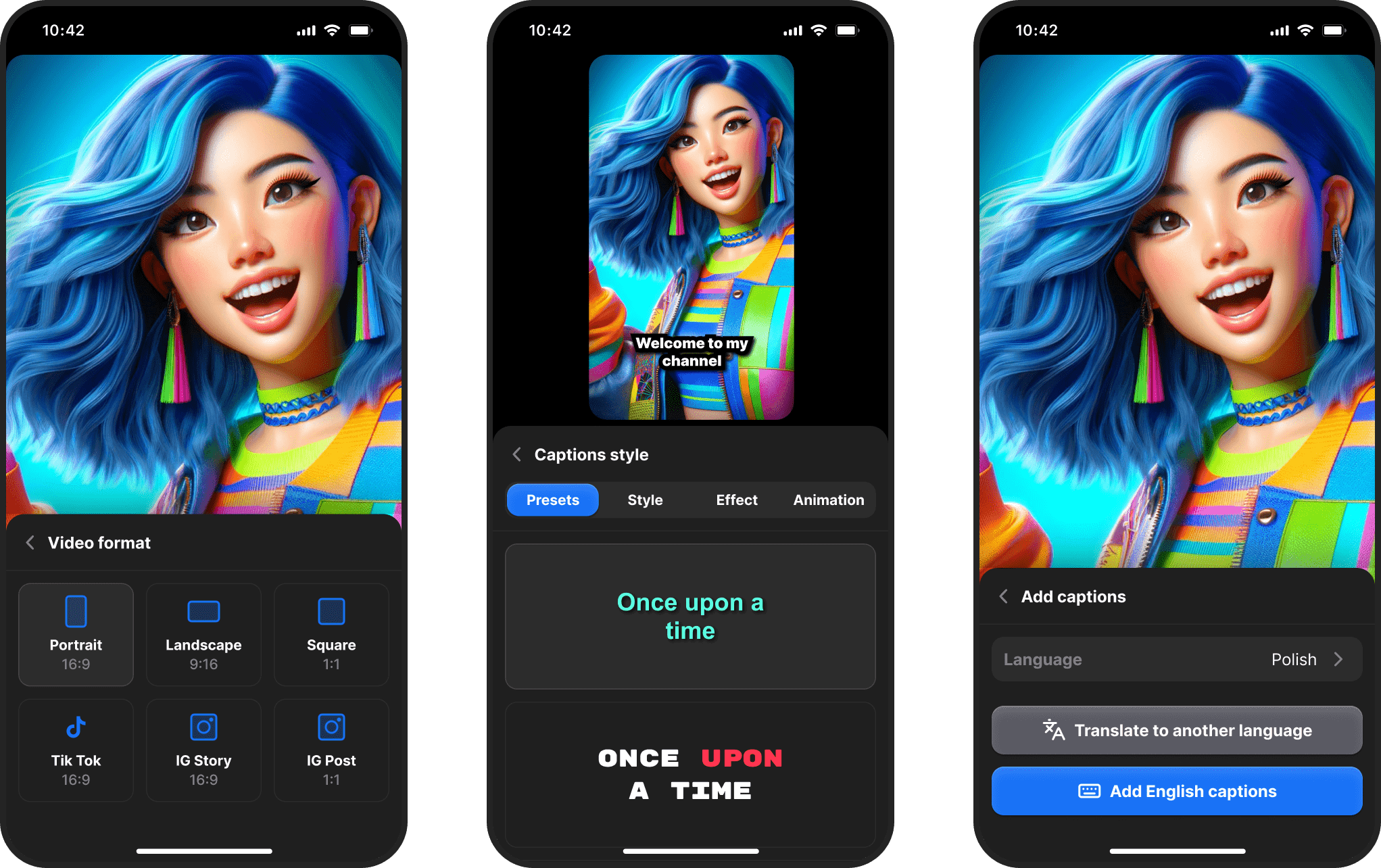
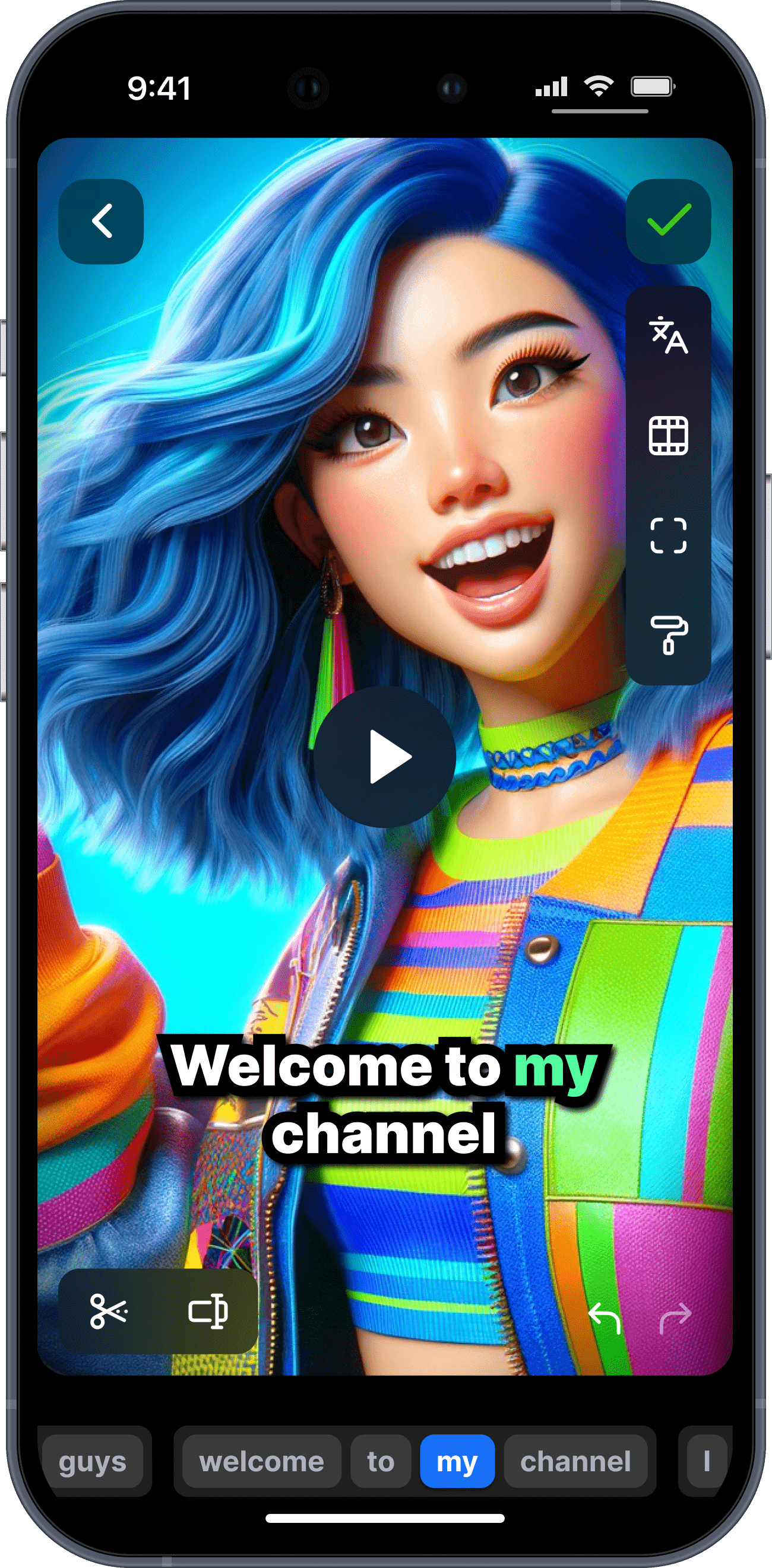
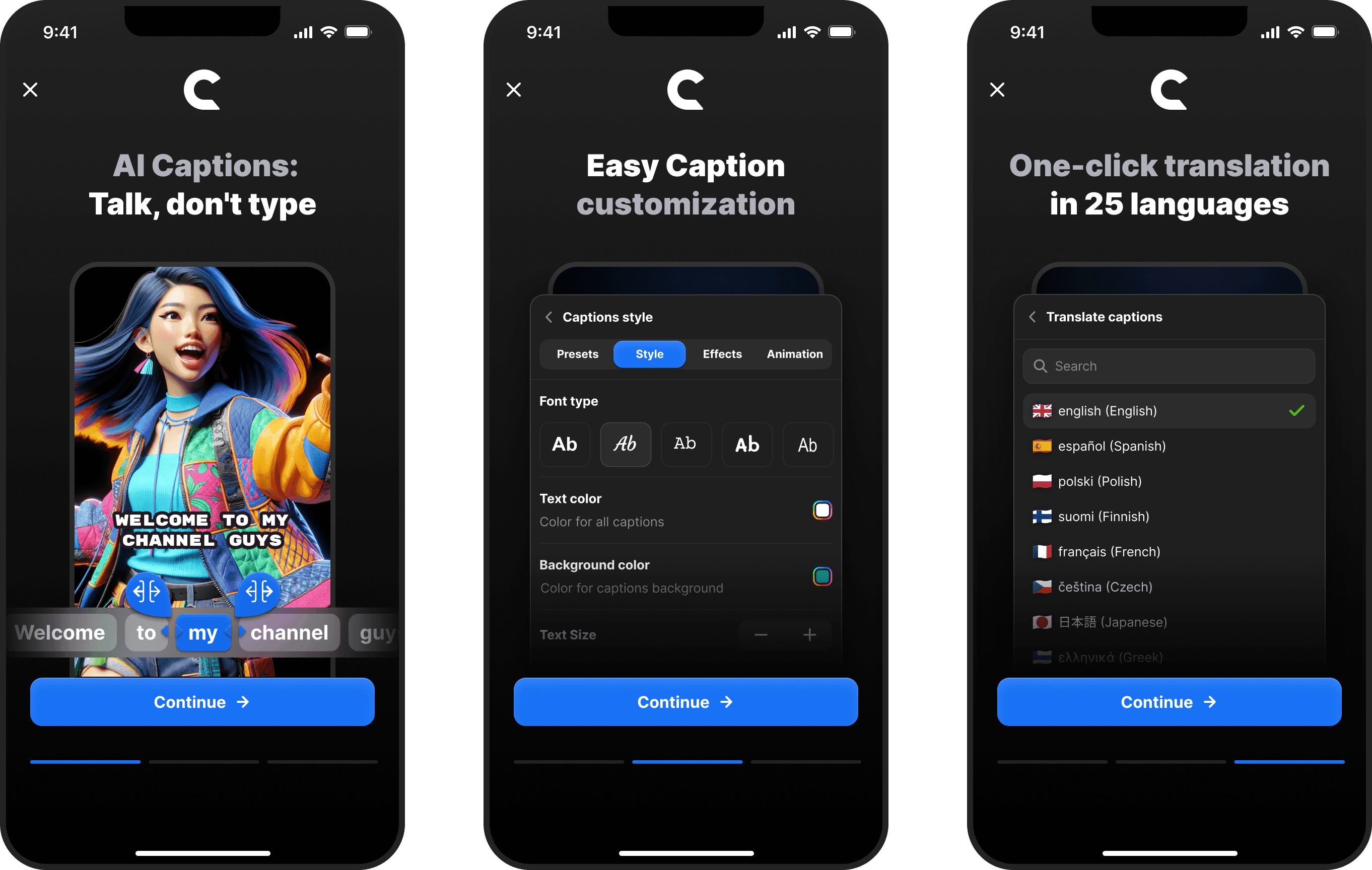
Live caption preview
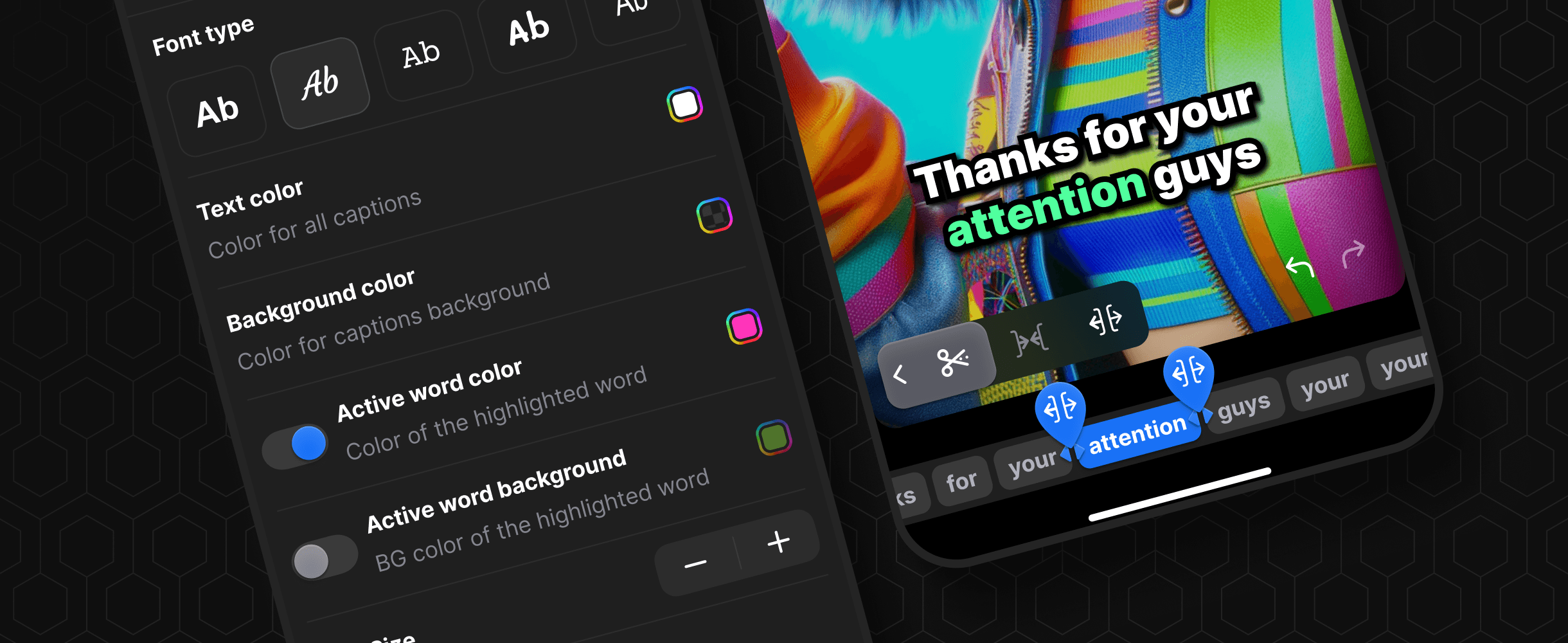
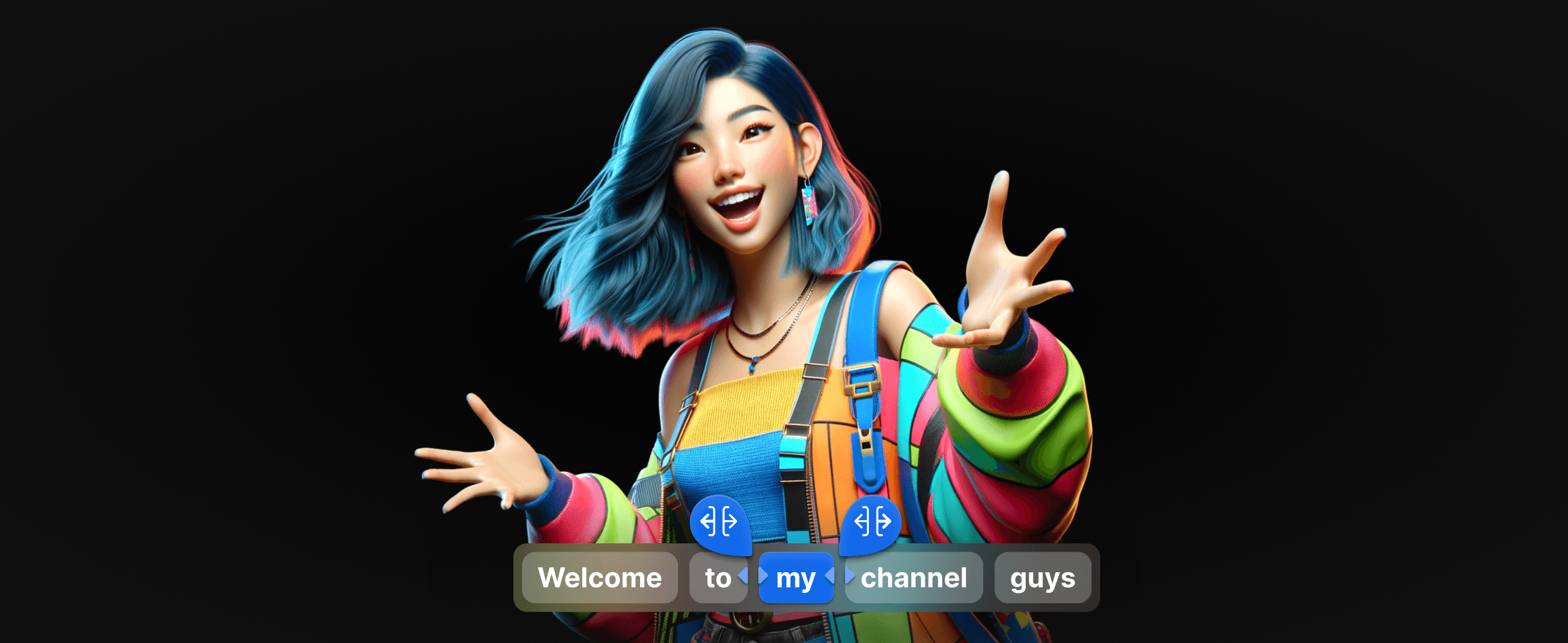
Captions are edited right on top of the video - no context switching, far less friction.
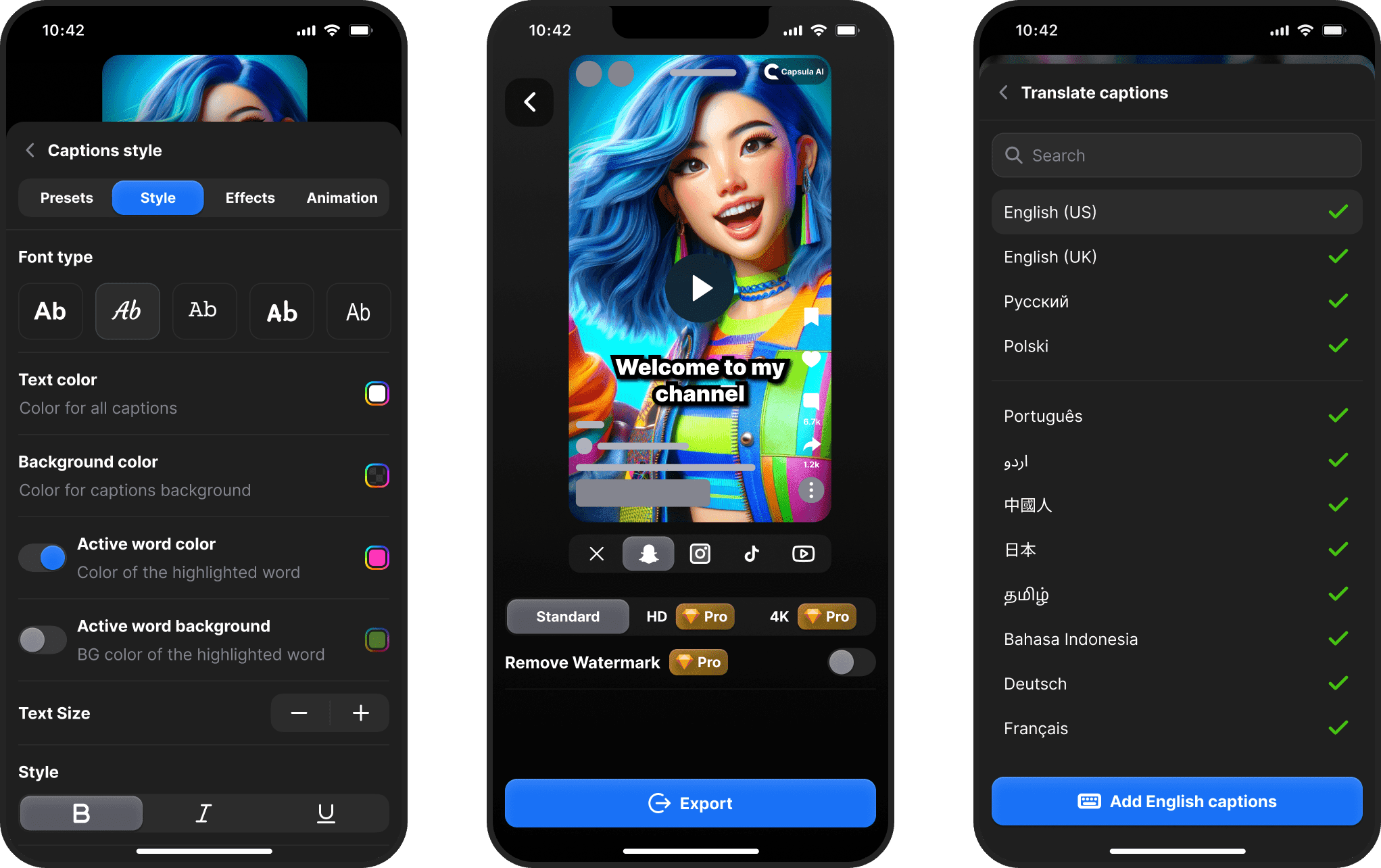
Editable AI output
The AI gives instant results, and you stay in charge:
fix recognition errors
adjust the text
restyle captions in real time
Minimal UI for a heavy task
A deliberately stripped-back interface keeps the focus on content while handling text-heavy editing on a small screen.
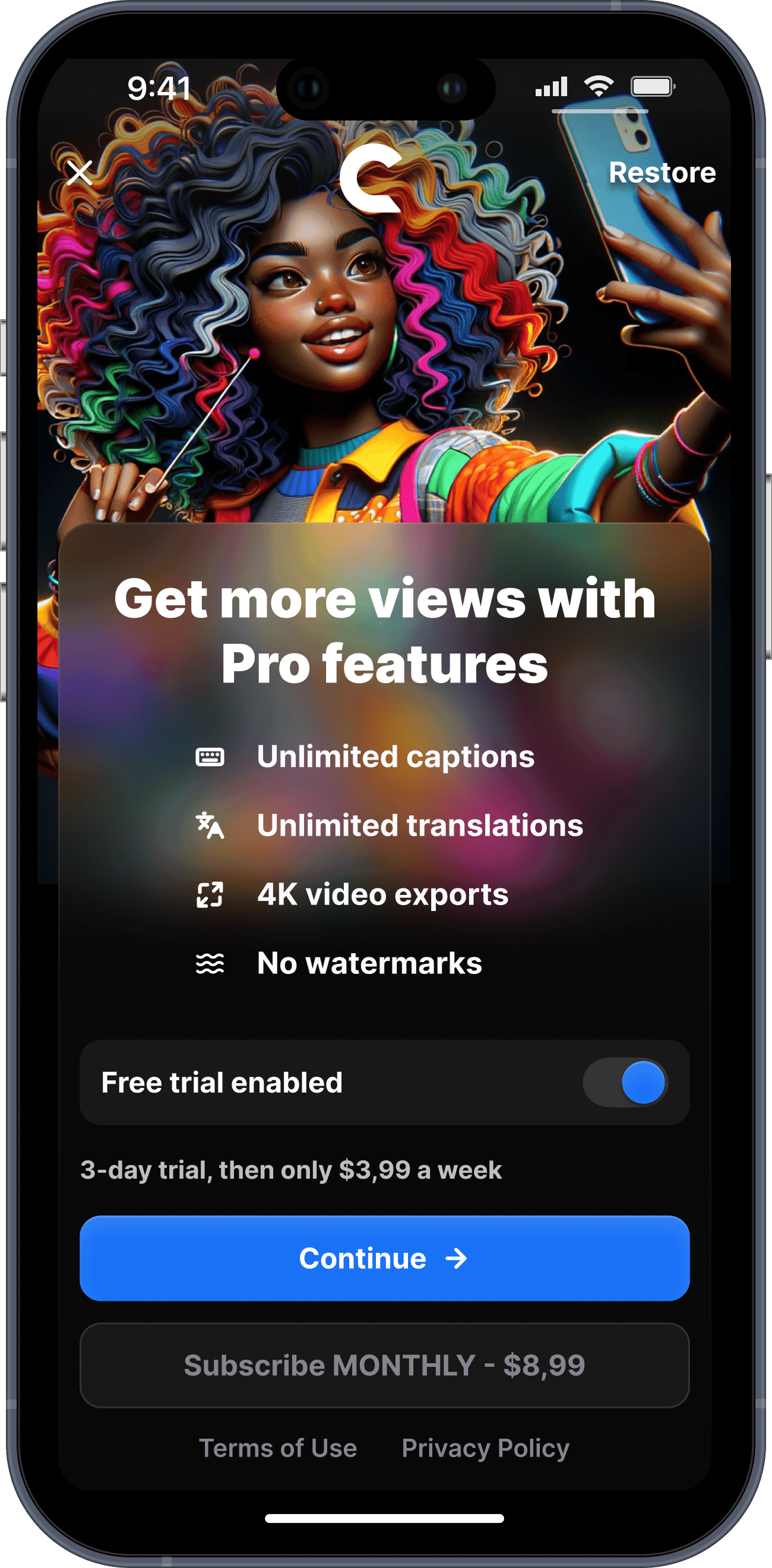
Onboarding built for fast value
A lightweight onboarding flow gets first-time friction out of the way so people feel the value immediately.
Research, Discovery & Validation
Capsula AI was rolled out in October 2024. For discovery and research, I used different techniques:
Customer reviews & CustDevs. User tests, quick corridor checks, and customer interviews.
Prototype / MVP test. Feedback from real users through support and product analytics.
Competitor analysis. Combed App Store apps to spot the common patterns - and the gaps.
Impact & Results
Outcomes
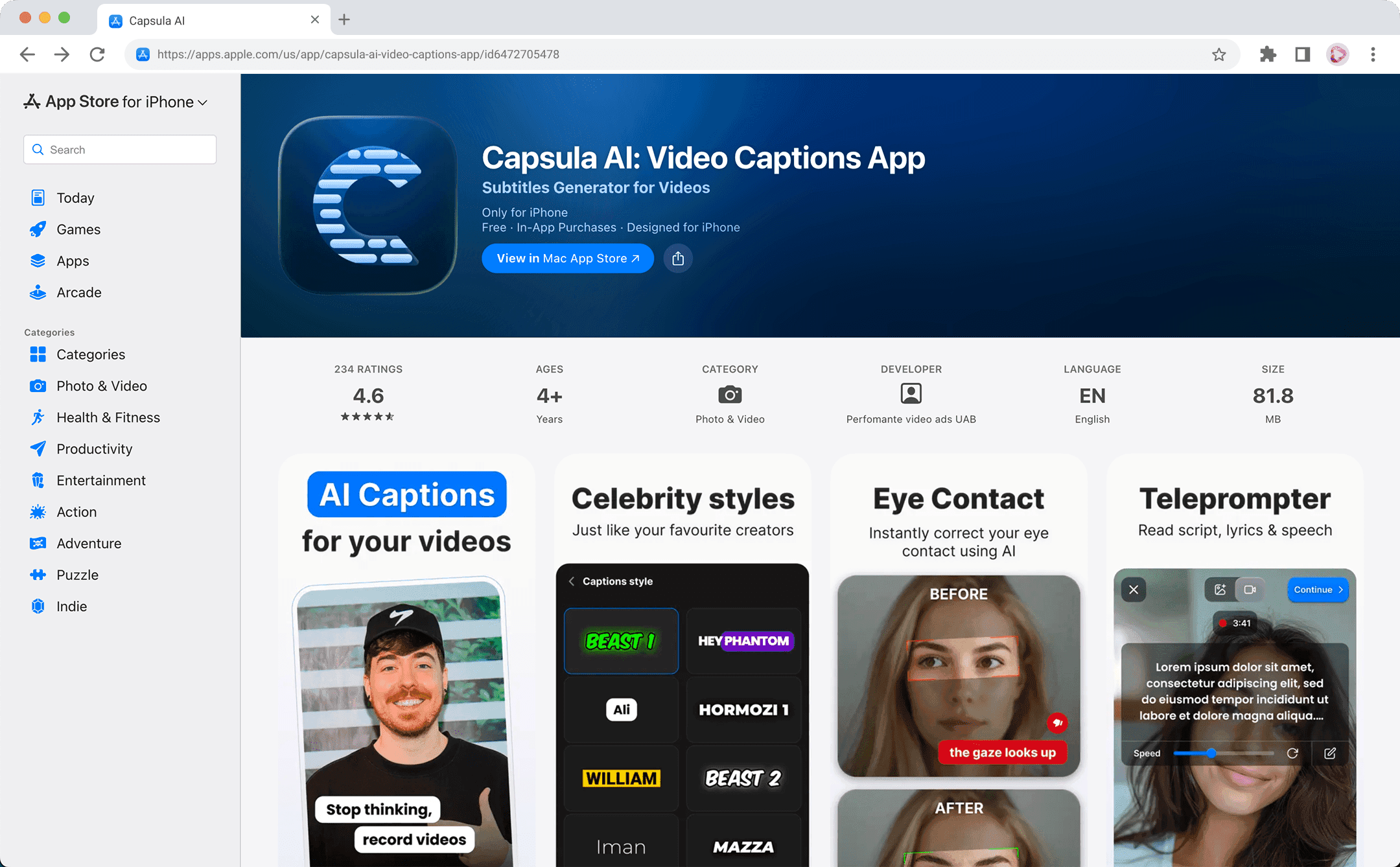
4.6 rating on the Apple App Store.
Stable in-app purchases.
Clear early user interest and validation.
Reflections and Takeaways
Designed and shipped a mobile AI caption editor from idea to App Store in just 3 weeks, as the only designer.
Coming from a B2B SaaS world, this was a deliberate jump into consumer mobile UX, where:
speed matters more than configurability
AI only earns its place when it delivers instantly and still leaves you in control
It sharpened my mobile-first, AI-driven product instincts a lot.